Fapcraft
Explore the Fapcraft mod for Minecraft: custom characters, new items, skins and biomes. See what it adds and how to install it on 1.12.2.
- Fapcraft
- What is the Fapcraft Mod for Minecraft?
- Fapcraft Mod Features
- Download Fapcraft
- Playable Characters and Custom Skins in Fapcraft
- Compatible Minecraft Versions and System Requirements
- How to Install Fapcraft on Minecraft Java (1.12.2)
- Fapcraft vs. Jenny Mod: What’s the Difference?
- Is Fapcraft Safe to Download?
- Troubleshooting Common Fapcraft Problems
- Frequently Asked Questions (FAQs)
- Conclusion
- What is the Fapcraft Mod for Minecraft?
What is the Fapcraft Mod for Minecraft?
Fapcraft is an adult-oriented Minecraft mod that adds custom characters, NPC-style companions, new items and interaction options to the game. It is built mainly for Minecraft Java Edition 1.12.2 and runs through the Forge mod loader. It is often described as a continuation or compilation of the original Jenny mod.
Age notice: Fapcraft contains mature themes and is intended for adults (18+) only. Parents should know it is not suitable for younger players.
This guide covers what the mod adds, how to install it, which versions it supports, and how to avoid the fake downloads that often surround mods like this.
Fapcraft Mod Features
New Building Blocks, Tools and Crafting Recipes
Fapcraft extends vanilla Minecraft’s crafting system with new materials, tools and recipes. This gives builders more options for constructing bases and gives survival players more items to craft and use. Some items are tied to specific character interactions, such as the dragon staff mentioned in the mod’s description. Check the in-game recipe list or the Fapcraft Wiki for exact crafting requirements, as these can change between versions.
Custom Biomes and Dimensions
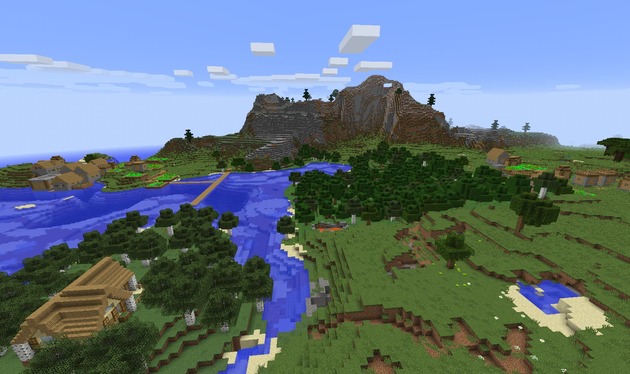
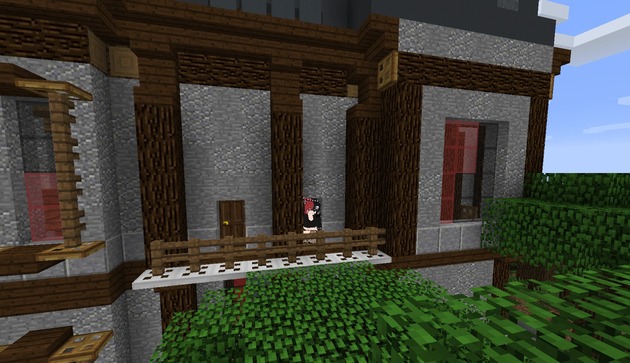
The mod promises fresh worlds with new landscapes, hidden secrets and added challenges, including structures such as desert temples. These additions give exploration a different feel from the standard game. Because the exact biome and dimension names depend on the version you install, confirm them in-game before relying on them.
Exclusive Mobs and Characters
This is the core of the mod. Fapcraft adds original characters and creatures that behave like NPC companions.
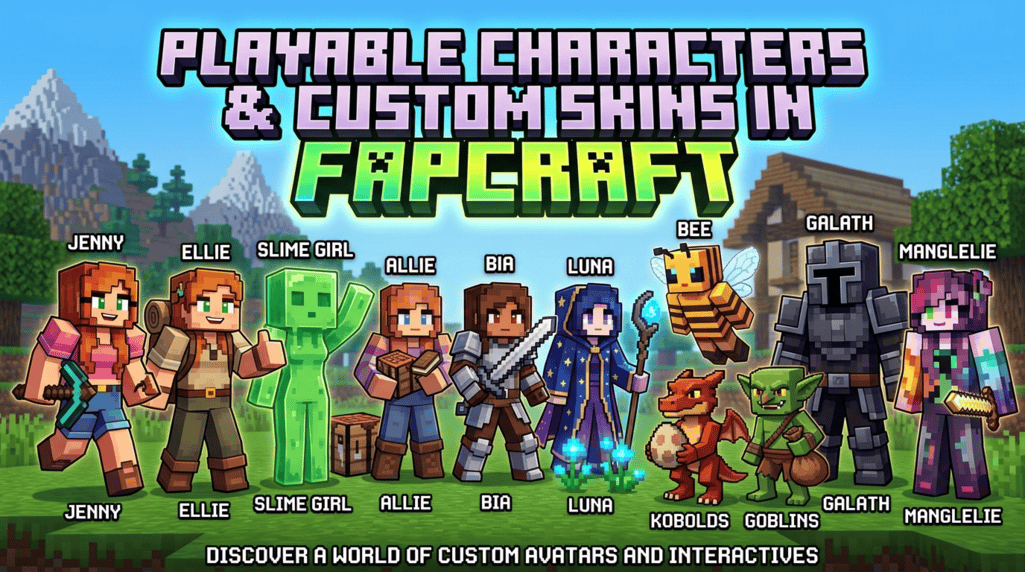
Human-style characters: Jenny, Ellie, Allie, Bia, Luna, Bee and Manglelie
Fantasy characters and creatures: Slime Girl, Kobolds, Goblin and Galath
Character Personalities
Jenny is lively and friendly, and is the mod’s most popular character.
Ellie is cheerful and adventurous, with a love of exploration.
Allie is a resourceful helper for crafting, building and exploring.
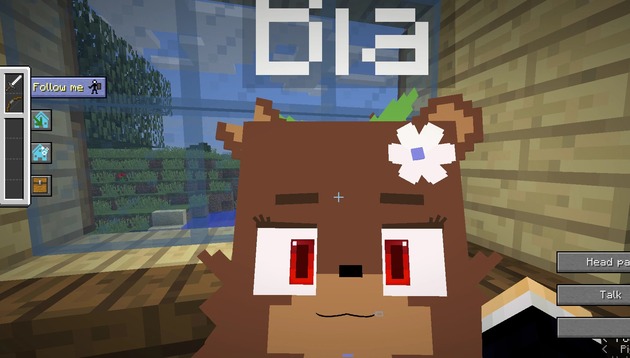
Bia is bold and fearless, and thrives in challenging environments.
Luna is calm and mystical, with a connection to nature and the night sky.
Bee is bright and energetic, and enjoys teamwork and nature.
Slime Girl is playful and mysterious, inspired by classic Minecraft mobs.
Kobolds are small, clever creatures found underground and near hidden structures, and the mod includes kobold eggs.
Goblin is mischievous and hardworking, scavenges treasure and crafts throwable tools.
Galath is a powerful guardian-type character who tests players’ courage.
Manglelie is unpredictable, with changing moods and unique abilities.
Improved Gameplay Mechanics
The mod description mentions smoother performance, smarter AI and balanced progression. In practice, characters and creatures are meant to feel more interactive than standard Minecraft mobs, and new content is paced so it fits into normal survival play. For performance, Java 1.12.2 needs at least 4GB of RAM. If you add more mods or resource packs, 6GB is more comfortable.
Enhanced Visuals and Textures
Fapcraft includes detailed custom character models and textures that give the game a refreshed look. Players can also add extra custom skins and models through resource packs. Community-made packs make the visuals flexible, but always pick packs that match your Fapcraft version so models render correctly.
Regular Updates and Community Support
Because Fapcraft is community-driven, it receives patches, bug fixes and fan-made additions. The flip side is that features can differ from build to build, so read the version notes before downloading. The Fapcraft Wiki is a useful reference for items, characters and updates.
Download Fapcraft
Playable Characters and Custom Skins in Fapcraft
Fapcraft ships with a roster of characters and creatures. Each has its own custom skin and model.
| Character | Role / personality |
|---|---|
| Jenny | One of the most popular characters, known for a lively, friendly personality and the mod’s adult-themed interactions |
| Ellie | Cheerful and adventurous, loves exploring and joining quests |
| Slime Girl | Playful and mysterious, inspired by classic Minecraft mobs |
| Allie | Smart, resourceful companion for crafting, building and exploring |
| Bia | Bold and fearless, enjoys challenging environments |
| Luna | Calm and mystical, tied to nature and the night sky |
| Bee | Bright, friendly and energetic, loves nature and teamwork |
| Kobolds | Small, clever creatures found underground and near hidden structures (kobold eggs are part of the mod) |
| Goblin | Mischievous and hardworking, scavenges treasure and crafts throwable tools |
| Galath | Powerful guardian-type character who challenges players |
| Manglelie | Unpredictable character with changing moods and unique abilities |
You can swap in extra custom models and skins through resource packs. See the FAQ below.
Compatible Minecraft Versions and System Requirements
| Java Edition | Bedrock Edition | |
|---|---|---|
| Version | 1.12.2 | 1.20 – 1.21.x (add-on) |
| Loader | Forge 1.12.2 | Add-on (MCPE) |
| Requirements | 4GB+ RAM, Java 8 or higher, Windows/macOS/Linux | Modern Android, iOS or Windows 10/11 device |
| Status | Fully supported | Listed as not available on the source page |
Note on Bedrock: The source material lists Bedrock versions but also marks the Bedrock download as “Not Available.” Treat any site claiming a working Fapcraft Bedrock/MCPE add-on or “mod APK” with suspicion, and verify before downloading anything.
How to Install Fapcraft on Minecraft Java (1.12.2)
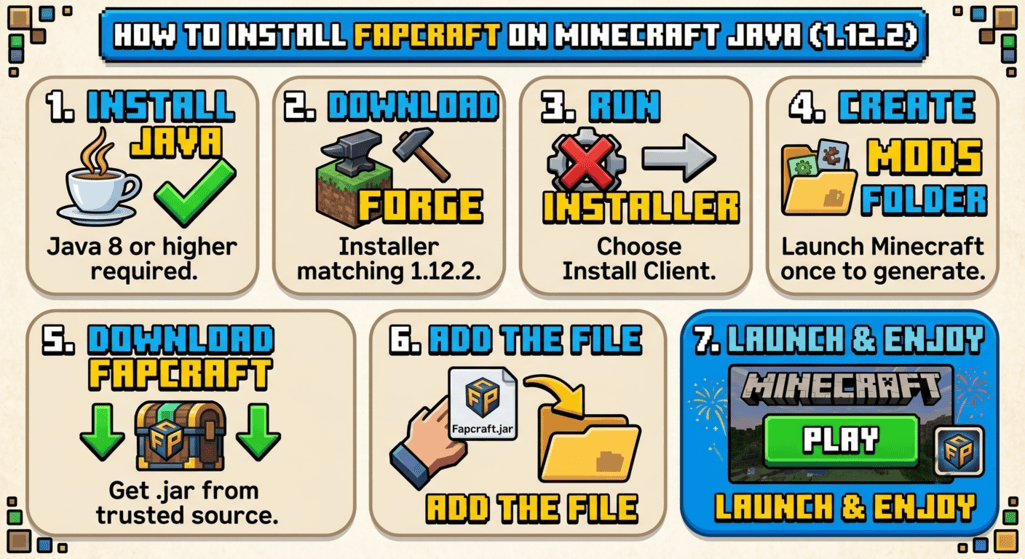
- Install Java 8 or higher. Forge 1.12.2 works best with Java 8.
- Download Forge. Get the installer matching Minecraft 1.12.2 from the official Minecraft Forge website.
- Run the installer. Open the downloaded
.jarfile and choose Install Client. - Create the mods folder. Launch Minecraft once using the Forge profile, then close it. This generates the
modsfolder. - Download the Fapcraft
.jar. Use a source you trust (see the safety section below). - Add the file. Open your game directory (the
.minecraftfolder) and drag the Fapcraft.jarintomods. - Launch with the Forge profile. Start Minecraft and check that Fapcraft appears in the Mods list.
Using CurseForge: Open the CurseForge app, search for “Fapcraft,” select the mod, click Install, then launch Minecraft with the Forge profile.
Fapcraft vs. Jenny Mod: What’s the Difference?
The Jenny mod is generally considered the original mod that introduced the Jenny character. Fapcraft is usually described as a continuation, compilation or modpack that includes Jenny alongside other characters such as Ellie and Bia. It was sometimes developed by different authors after the original project ran into problems. If you want the broadest character roster, Fapcraft is the usual choice.
Is Fapcraft Safe to Download?
Fapcraft itself is not a virus, but unofficial mod downloads can be risky. Mods are .jar files that run code on your computer, so a fake one can carry malware. Follow these checks:
- Prefer established platforms such as CurseForge or the mod author’s own page. If you use a third-party site, check its reputation first.
- Scan every file with your antivirus, and check it on VirusTotal before opening it.
- Avoid “Fapcraft APK” or “unlimited money” downloads. Minecraft Java mods are
.jarfiles, not APKs. - Skip sites that push unrelated downloads like cracked games, other APKs or adult streaming sites.
- Don’t run installers that ask you to disable your antivirus.
- Back up your world first. Copy your
savesfolder before adding any mod.
Troubleshooting Common Fapcraft Problems
- The game crashes on launch: Check that you are on 1.12.2 with the matching Forge version, and that the mod file isn’t corrupted.
- The mod doesn’t show up: Make sure the
.jaris directly inmods(not inside a subfolder) and that you selected the Forge profile. - Lag or low FPS: Allocate more RAM in the launcher (4GB is the minimum; 6GB is more comfortable) and close background apps.
- Skins or models look wrong: Confirm the resource pack is enabled under Settings → Resource Packs and matches your Fapcraft version.
- Conflicts with other mods: Remove other mods and add them back one at a time to find the one causing the problem.
Frequently Asked Questions (FAQs)
How do I install Fapcraft custom models?
Download a model pack compatible with your Fapcraft version and place it in the resourcepacks folder (or mods, if the pack’s instructions say so). Launch Minecraft, then enable the pack under Settings → Resource Packs.
How do I download Fapcraft on PC?
Install Forge 1.12.2, then put the Fapcraft .jar file into your mods folder.
Which Minecraft version should I use for Fapcraft?
Minecraft Java 1.12.2 with Forge is the most widely supported setup.
Is Fapcraft a virus?
No, but downloading it from spammy or unofficial sites raises your malware risk. Use trusted sources and scan files first.
Can I play Fapcraft on Minecraft Bedrock or mobile?
Not reliably. The Bedrock download is listed as unavailable, so be careful with sites that claim otherwise.
Does Fapcraft have accounts that can be suspended?
No. Fapcraft is a mod file, not an online service. If you see a “Fapcraft account suspended” message, it is likely from a scam or phishing site. Don’t enter any login details.
Is Fapcraft free?
Mod files are typically free. Be wary of any site asking for payment or personal information.
Conclusion
Fapcraft is a niche, adult-themed mod that adds characters, items and interactions to Minecraft Java 1.12.2 through Forge. Install it with the matching versions, keep it away from younger players, and download only from sources you trust.